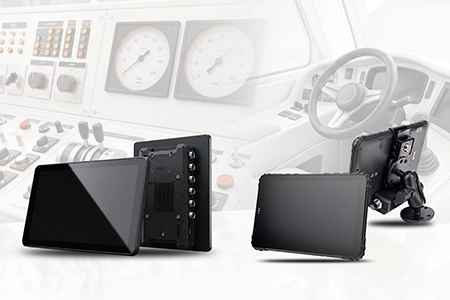
Navigation Tablet Hardware Architecture — GNSS, Display, and Docking Selection Guide for System Integrators
A navigation tablet works perfectly in field testing — then drifts by thirty metres the moment the delivery van enters a tree-lined residential street. The integrator checks the navigation app. The app is fine. The problem is the GNSS receiver underneath it, losing lock in an environment where satellite signals bounce off buildings and tree canopies before reaching the antenna. Here is what system integrators need to evaluate when selecting hardware for navigation deployments — before the app is installed.

Table of Contents
Field Observation
Navigation hardware failures in field deployments almost never originate in the navigation software. They originate in the physical layer:
Displays that wash out on the open deck of a boat at 2 p.m.
Dock connectors that loosen under vibration and interrupt power and data mid-route
About the Author
TOPICON Hardware Engineering Team
Hardware architecture specialists supporting system integrators and software vendors with navigation platform selection, GNSS integration, and rugged vehicle and marine deployments.
The Selection Error: Evaluating the App, Not the Silicon
An integrator building a delivery navigation solution typically evaluates tablets by running their navigation app on several devices. The app launches, maps render, GPS position appears. The evaluation passes. Deployment begins. Three months later, drivers report that the position indicator drifts unpredictably in certain areas — under tree cover, between tall buildings, in deep vehicle parks. The integrator attributes this to GPS quality. The actual failure is in the GNSS architecture: a single-band L1-only receiver that the integrator never thought to ask about.
This is the core problem with navigation hardware evaluation. The application layer behaves identically on every device because the app only receives a position fix. It does not report the quality of that fix. The distinction between a 2-metre and a 20-metre position error is invisible at the UI level — but it determines whether a delivery van takes the correct turning into a narrow residential road or ends up one block away.
For an OEM hardware platform supporting vehicle-mounted tablets used in navigation applications, the integrator must evaluate the silicon underneath the app. The GNSS receiver architecture, not the navigation software, determines the accuracy floor.
GNSS Architecture: Dual-Band, Multi-Constellation, and External Antennas
Three architectural decisions in the GNSS chain determine whether position fix is reliable across the deployment's full operating environment.
Dual-Band L1 + L5
L1-only receivers cannot resolve multipath reflections — satellite signals that bounce off buildings before reaching the antenna. The L5 signal operates at a different frequency and correlates differently with its reflections. A dual-band receiver compares both signals, cancels most of the multipath error, and delivers metre-level accuracy where L1-only receivers drift by tens of metres.
Multi-Constellation Reception
GPS, GLONASS, Galileo, and BeiDou — four constellations, over 100 satellites. In inland waterways lined with trees, or mining pits with steep walls, any single constellation may be partially blocked. A receiver tracking all four maintains lock where one constellation fails. The integrator should verify the receiver tracks four constellations, not just GPS + GLONASS.
External Antenna Port (MMCX/SMA)
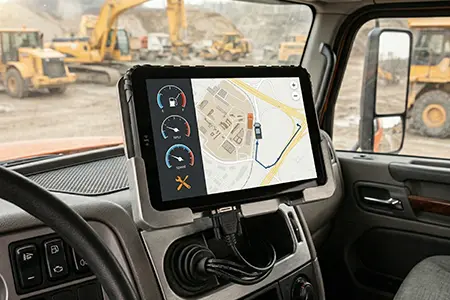
A metal boat hull is a Faraday cage. A truck cab with metallic window tinting is a partial one. A tablet's internal antenna receives nothing in these environments. An external antenna port allows the GNSS signal to be routed from a roof-mounted antenna directly into the receiver. The port is not an accessory — for any deployment involving metal hulls or enclosed cabs, it is the difference between position fix and dead reckoning.
GPS Enhancement in Rugged Tablets
See how dual-band GNSS and external antenna support improve position accuracy in real-world navigation scenarios.
Where Navionics Fits in the Hardware Stack
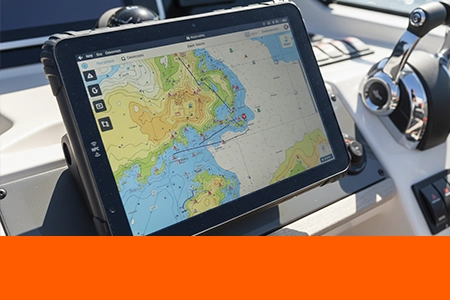
The hardware architecture described above applies to any navigation application. Navionics — acquired by Garmin in 2017 and widely used in both recreational and commercial marine navigation — is one of the most common deployments of this hardware class. It is not a special case. It runs on the same Android platform, receives position from the same GNSS receiver, and renders charts on the same sunlight-readable display.
What changes across applications is the deployment profile, not the hardware architecture. A Navionics deployment on a metal-hulled inland vessel stresses the external antenna port. A Navionics deployment on an open-deck workboat stresses the display brightness and IP67 sealing. A fleet dispatch application stresses the vehicle power architecture and the dock connector. The same hardware platform must satisfy the union of these requirements across the integrator's customer base.
Application-Specific Hardware Notes
For Navionics-specific deployment notes — application compatibility requirements, marine and fleet hardware profiles, and OEM sourcing considerations — see the Navionics marine tablet hardware requirements guide.
The rest of this article returns to the underlying architecture. These are the decisions that determine whether any navigation application — Navionics, a telematics dispatch client, or a proprietary GIS platform — delivers reliable position fix across the deployment's full operating environment.
Display Readability: Brightness Is Not Enough
The display is the interface between the driver and the navigation data. If it is unreadable in direct sunlight, the navigation system is operationally useless regardless of GNSS accuracy. But the integrator's evaluation must distinguish between raw brightness and effective visibility under real illumination.
Two variables determine readability: the panel's light emission (nits) and the screen's reflectance (how much ambient light bounces off the surface). A 700-nit panel with anti-glare treatment and optical bonding delivers better effective contrast than a 1000-nit glossy panel with an air-gapped display. The effective contrast calculation is: emitted light divided by reflected light. Lower reflection — through optical bonding and anti-glare coating — matters as much as higher emission.
For an open boat deck in direct sun, 1000 nits with anti-glare is the minimum for sustained readability. For an enclosed cab with partial shade, 700 nits with optical bonding is sufficient — a common requirement for truck tablet hardware used in delivery and logistics fleets. The integrator must specify the deployment environment before selecting the display. The industrial rugged tablet hardware selection should include a defined display requirement per vehicle class, not a single specification applied across the fleet.
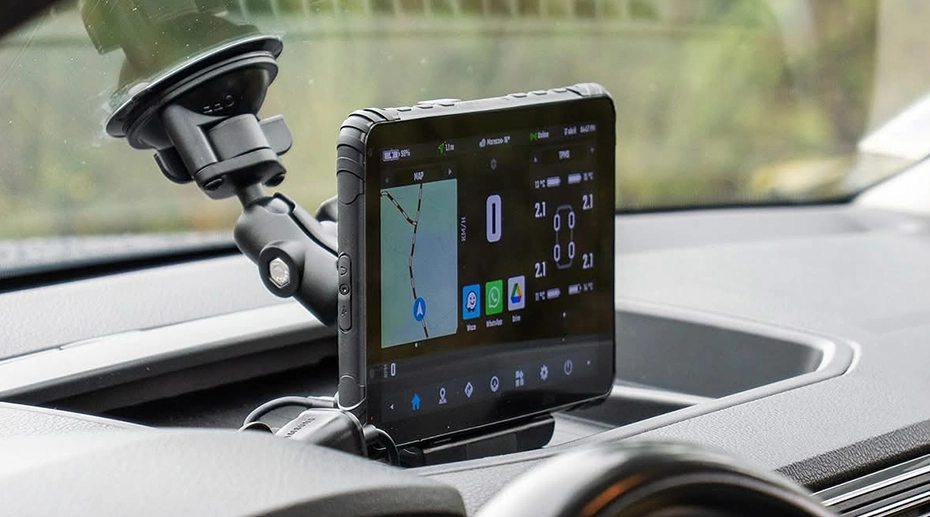
Docking Architecture: The Physical Layer That Defeats Good GNSS
The best GNSS receiver and the best display are both useless if the tablet loses power and data intermittently because the dock connector has loosened under vibration. This is the least glamorous layer of navigation hardware evaluation — and the one that causes the most field failures.
Pogo-pin contacts are rated for a specified number of mating cycles — typically 10,000 or more in industrial docks. Under sustained vehicle vibration, a poorly designed dock allows micro-fretting at the contact interface, gradually increasing resistance until intermittent disconnects appear. The tablet powers off momentarily. The navigation session restarts. The driver loses the route at a critical intersection. The failure is attributed to software. The cause is mechanical.
An all-metal hand-latch dock, where the tablet is physically secured by a threaded clamp instead of relying solely on pogo-pin retention force, eliminates this failure mode. The docking station architecture is as much a navigation reliability factor as the GNSS receiver itself. The dock is the component that converts an accurate positioning device into a continuously available positioning device.
For integrators building fixed navigation terminal installations, the dock selection also determines whether the tablet is removable for pre-trip inspection and proof-of-delivery workflows — the same hardware architecture decision that defines the deployment's operational flexibility beyond navigation.
TOPICON MDT880 / MDT865 Vehicle Docking Guide: RAM Mount, Wiring Harness & Key Lock Demo
Step-by-step demonstration of vehicle docking installation for MDT880 and MDT865, including RAM mount, wiring harness, and key lock mechanisms.
Single Point of Failure
The dock connector is the single point of failure that can make an accurate GNSS receiver operationally invisible. When the connector loses contact under vibration — for a few milliseconds, repeated thousands of times over weeks — the tablet restarts. The navigation route is lost mid-turn. The driver pulls over and reboots the device. Over months, the connector's contact resistance worsens until the failure becomes continuous. The fleet reports "the GPS keeps losing signal." The actual problem is not the GNSS. It is the mechanical interface that the integrator never evaluated. Dock connector engineering is part of navigation hardware architecture — not a separate procurement decision.
Frequently Asked Questions
Why do navigation apps appear to work fine on any tablet during evaluation?
Because the app receives a position fix, not the quality of the fix. A 2-metre and a 20-metre error both render as a dot on a map. The difference only becomes visible in the field — under tree cover, in urban canyons, or in a metal boat hull. The evaluation must look past the app layer and verify the GNSS receiver architecture: dual-band, multi-constellation, and external antenna support.
Does optical bonding really improve sunlight readability?
Yes — but not by increasing brightness. Optical bonding fills the air gap between the display panel and the touch glass with an optically clear adhesive. This eliminates two internal reflections: one at the panel surface and one at the underside of the touch glass. The result is lower reflectance and higher effective contrast — which is what determines whether the screen is readable in direct sunlight. The display doesn't emit more light. It reflects less light back at the driver.
When is an external GNSS antenna required?
Any deployment where the tablet is inside a metal enclosure. This includes boats with metal hulls, trucks with metallic window tinting, and enclosed mining equipment cabins. The metal structure acts as a Faraday cage, attenuating satellite signals before they reach the internal antenna. An MMCX or SMA external antenna port allows a roof-mounted antenna to capture the signal outside the enclosure and feed it directly into the receiver. The external antenna is the only reliable way to maintain GNSS reception in these environments.
How does the docking architecture affect navigation reliability?
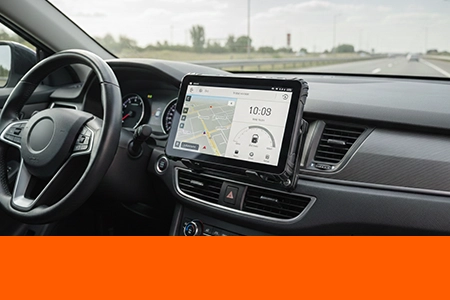
The dock provides power, data, and physical retention. Under sustained vehicle vibration, a dock that relies solely on pogo-pin retention force can develop micro-fretting at the contact interface — increasing resistance until intermittent disconnects appear. The navigation session restarts mid-route. An all-metal hand-latch dock, where the tablet is physically secured by a threaded clamp, prevents this failure. For a vehicle tablet navigation deployment, the dock is as important as the GNSS receiver.
How does this hardware architecture apply to a specific navigation application like Navionics?
The architecture is application-independent. Navionics, telematics dispatch clients, and proprietary GIS platforms all consume the same GNSS position and render on the same display. What differs is the deployment profile — a metal-hulled vessel stresses the external antenna port, an open-deck workboat stresses display brightness and IP67 sealing, a fleet cab stresses vehicle power and dock connector reliability. The Navionics marine tablet hardware requirements guide covers the application-specific deployment notes.
Building a Navigation Solution for Fleet or Marine Deployment?
The hardware architecture — GNSS receiver, display readability, and dock engineering — determines whether the navigation software delivers reliable position fix in the field. Request a hardware evaluation kit and discuss the specific GNSS requirements for your deployment.